

Introduction
Civil engineering is undergoing its fastest structural change since CAD replaced the drawing board. The shift isn’t happening in structural analysis software or on site; it’s happening in the daily workflow of every junior engineer, where 60–80% of billable hours are consumed by tasks that are, at their core, pattern recognition and document generation.
This article profiles five production-ready tools currently deployed on live construction and design projects, explains exactly what each one automates, and shows you the concrete time savings you can expect starting this week.
Why AI Targets Junior-Level Tasks First
- Junior engineers typically own four categories of work:
- Producing 2D drawings and layout revisions
- Completing quantity takeoffs from architectural or structural drawings
- Writing reports and method statements from scratch
- Entering project data into spreadsheets and management platforms.
Every single one of these tasks shares a profile that makes it ideal for machine automation, as they are rule-based, they follow established templates, they involve extracting structured data from documents, and their quality is judged against measurable benchmarks rather than creative judgment.
The critical distinction every engineer needs to internalize is this: AI replaces tasks, not engineers. A senior engineer still decides which quantities matter, approves the method statement, and judges whether the site plan is constructible. AI removes the six hours of mechanical production that precede that judgment. The result is not unemployment; it’s the compression of a junior’s learning curve from three years to nine months.
Tool #1: Autodesk Construction Cloud (ACC) AI
Use Case: Project Management + Document Control
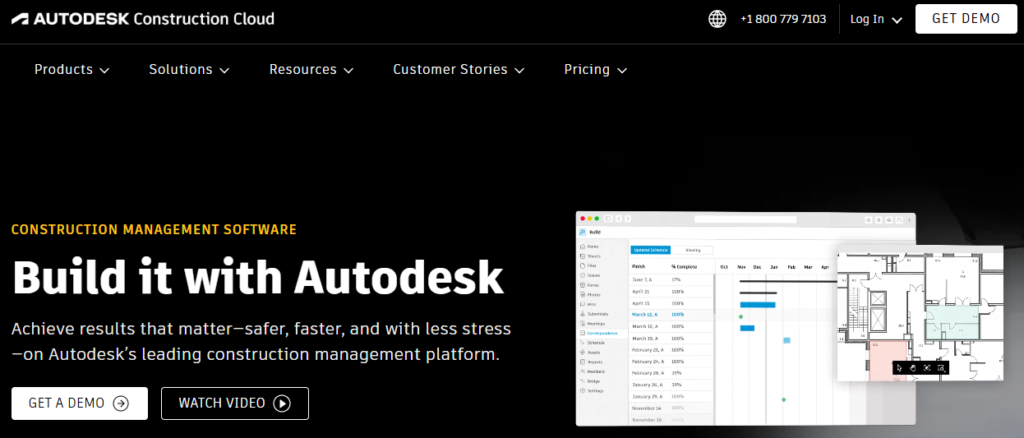
ACC’s AI layer sits on top of its existing RFI (Request for Information), submittal, and issue-tracking modules and automates something junior engineers spend enormous time on: routing, classifying, and following up on project correspondence. When a subcontractor submits an RFI, ACC’s AI reads the document, identifies the discipline (structural, MEP, architectural), suggests the correct reviewer, flags if a similar RFI has been answered before, and drafts a preliminary response template drawn from your project’s specification package.
On a typical mid-size commercial project with 100+ active RFIs and 200+ submittals, a junior engineer manages this queue manually, opening each document, logging it in a tracker, assigning it, chasing responses. ACC’s AI collapses that cycle entirely. The platform’s issue detection module also processes site photos and flags safety observations, quality defects, or specification non-conformances without manual tagging.
What it automates:
- RFI classification, routing, and response drafting
- Submittal log management and approval workflow tracking
- Site photo tagging and issue linking to drawing locations
- Daily report population from field data entries
Real impact: Project engineers on ACC AI-integrated projects report 8–12 hours per week recovered from document administration alone.
Tool #2: OpenAI ChatGPT (with Custom GPTs)
Use Case: Reports, Calculations, and Technical Documentation
Used naively, ChatGPT produces generic output. Used with a properly engineered system prompt and project-specific context, it functions as a technical writing engine that understands construction documentation conventions. The practical application for civil engineers is not chatting; it’s structured document generation.
A site inspection report for a concrete pour requires: pour location reference, mix design confirmation, slump test results, ambient temperature, pour start/end time, curing method, and non-conformance flags. Feed ChatGPT that data as a structured input and a properly formatted report is ready in under 60 seconds.
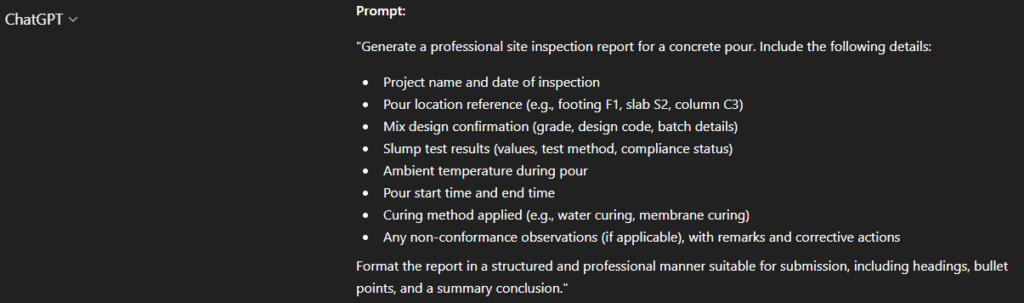
The same workflow applies to method statements: paste in your project specification clause and scope of work, and ChatGPT produces a draft method statement aligned to your contract requirements.
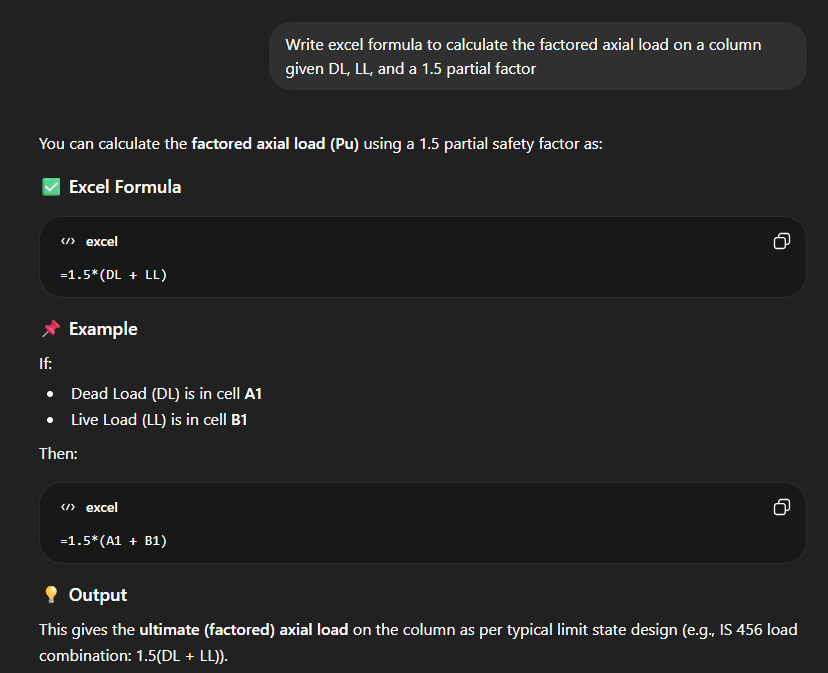
For engineers with spreadsheet-heavy workflows, ChatGPT writes Excel formulas on demand, describe the calculation in plain language (“calculate the factored axial load on a column given DL, LL, and a 1.5 partial factor“), and it returns the exact formula string.
It also writes functional Python scripts for repetitive data processing tasks — coordinate transformations, survey data cleanup, pile schedule generation — without requiring any prior coding knowledge.
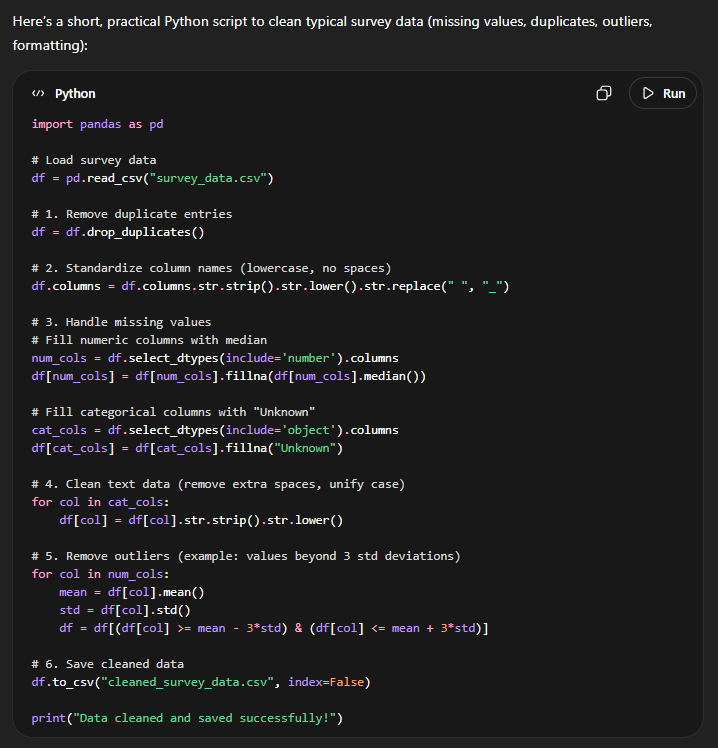
What it automates:
- Bill of Quantities item descriptions from specification clauses
- Method statements, inspection test plans, and work procedures
- Excel formula generation for structural and cost calculations
- Python scripting for survey and schedule data processing
Real impact: A method statement for mass concrete pours that takes 3 hours to draft manually takes 12 minutes with a well-structured ChatGPT prompt and project spec input.
Tool #3: TestFit AI
Use Case: Site Planning and Feasibility Analysis
TestFit operates in the pre-design and feasibility phase, the stage where a junior engineer is handed a site boundary, a zoning brief, and a parking ratio requirement, and asked to test how much floor area or how many units can be accommodated.
Manually, in AutoCAD, it takes hours to iterate building footprints, calculate setbacks, and recheck parking geometry.
TestFit generates those iterations in seconds. Input the site boundary, zoning parameters (FAR, setbacks, height limits, parking ratios), and building type, and TestFit’s generative engine produces a site plan layout with a live dashboard showing GFA, unit count, parking stall count, site coverage percentage, and efficiency ratios.
Adjust any parameter, add a loading bay, shift the building setback, change parking configuration from surface to podium, and the model recalculates instantly.
The real value is in client-facing feasibility work: instead of one manually produced option, the project team can present five site configurations with quantified trade-offs before a structural engineer or architect has been formally engaged.
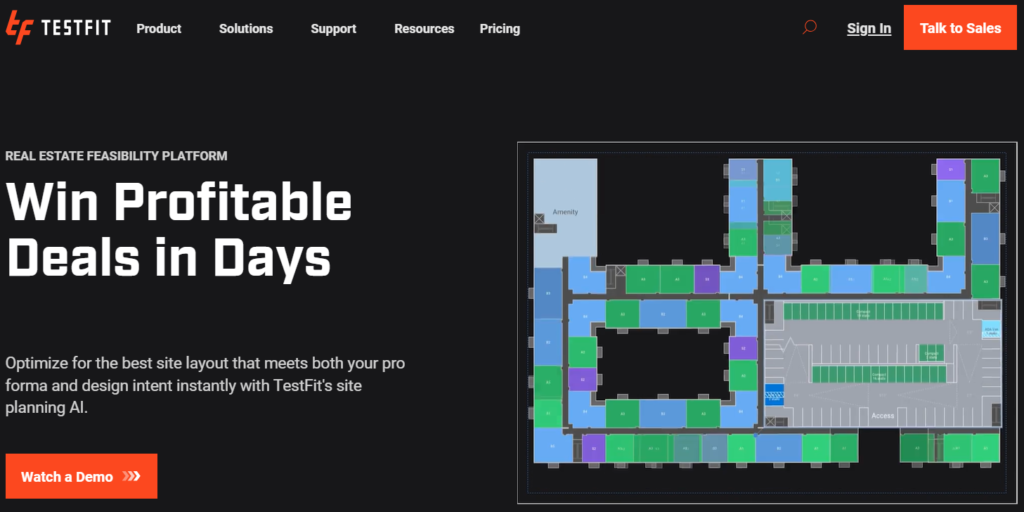
What it automates:
- Building massing and site coverage calculations from zoning inputs
- Parking layout generation and stall count verification
- Multi-scenario feasibility comparison with live metrics
- Net-to-gross efficiency analysis by building configuration
Real impact: Site feasibility studies that previously consumed 2–3 days of a junior engineer’s time are completed in under half a day with TestFit.
Tool #4: Revit + Generative Design (Autodesk Forma)
Use Case: BIM Modeling and Design Optimization
Standard Revit work for a junior engineer means placing structural elements to match a design intent drawing, running clash detection between disciplines, and producing section cuts and schedules. Autodesk Forma’s generative design integration pushes that upstream, instead of modeling one solution and checking it, the system generates and evaluates multiple structural or spatial configurations against performance criteria simultaneously.
For a concrete frame building, define your span ranges, column grid preferences, floor-to-floor height, and load assumptions. Forma generates a set of structural grid alternatives with estimated material quantities for each. The engineer’s role shifts from modeling the grid to selecting the optimal configuration from a performance-ranked set. Clash detection in this environment is also continuous rather than periodic, the model flags MEP-structure conflicts as elements are placed, not after a complete model has been built.
The practical implication is significant: junior engineers stop spending the majority of project time inside Revit producing drawings. They spend it interpreting what the model is telling them, which is the actual engineering judgment their career should be developing.
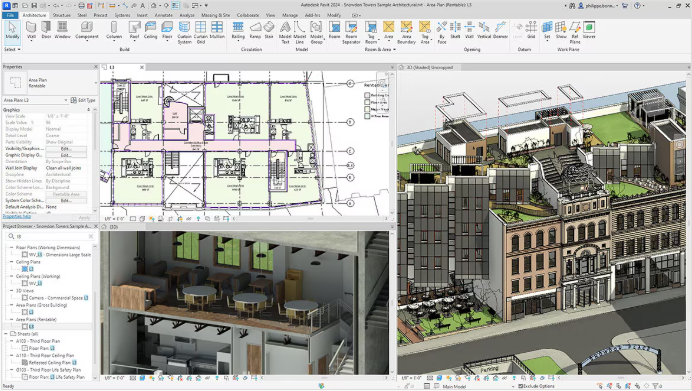
What it automates:
- Structural grid and massing alternatives generation with quantity outputs
- Real-time clash detection across linked MEP, structural, and architectural models
- Schedule and tag automation from model element parameters
- Wind and solar analysis from early massing geometry
Real impact: On BIM-mature projects, generative design reduces preliminary structural modeling time by 60–70%, shifting engineers toward coordination and decision-making roles.
Tool #5: Togal AI
Use Case: Quantity Takeoff and Cost Estimation
Quantity takeoff is the single most time-intensive task in a junior estimator or project engineer’s week. Togal AI addresses it directly: upload a PDF drawing set, select the trade or element type (concrete, formwork, rebar, blockwork, finishes), and Togal’s computer vision engine identifies, measures, and aggregates quantities automatically across every sheet in the set.
Accuracy is the key metric. Togal reports consistent performance within 2–5% of manual takeoff results on standard building types, close enough that the output functions as a verified first draft rather than a rough estimate requiring complete manual re-validation. The engineer’s remaining work is exception-handling: checking atypical details, confirming spec-driven assumptions, and applying project-specific adjustment factors.
For contractors pricing competitive tenders, this changes the economics of bid preparation. A team that previously needed three engineers working two full days to produce a substructure takeoff can produce the same output with one engineer reviewing and validating Togal’s output in four hours.
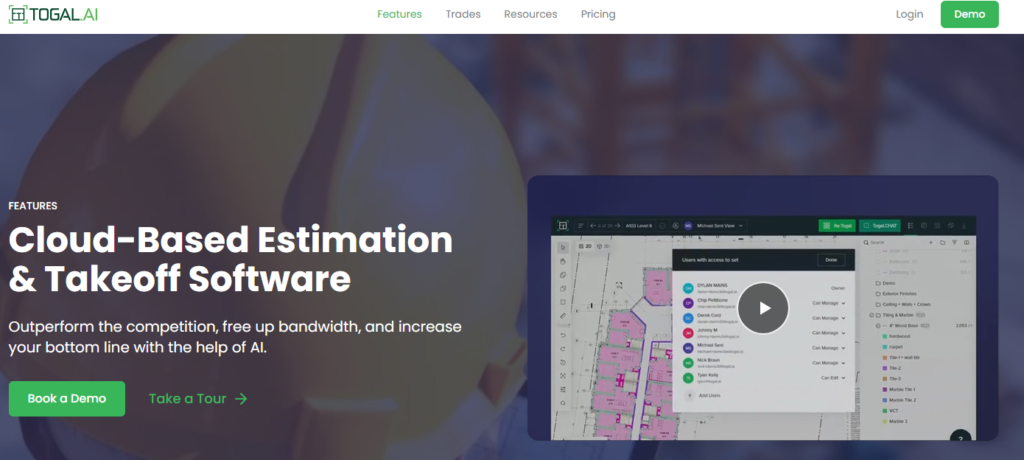
What it automates:
- Area, linear, and count takeoff from architectural and structural PDFs
- Multi-sheet aggregation with element-by-element breakdown export
- Cost estimation integration via linked rate libraries
- Revision comparison — highlights quantity changes between drawing versions
Real impact: A 12-storey residential building takeoff across 40 drawing sheets: manual = 3 days. Togal AI = 4 hours to review and validate.